Customise a campaign's email receipt
After a donation is made to an online campaign, donors will receive an email from Follett Fundraising Manager. You can customize this message.
-
On the desired campaign, under Additional Options, turn on the toggle to Add a Custom Message to Destiny Fundraising Manager’s Emailed Payment Receipt.
-
Click Here to Manage.
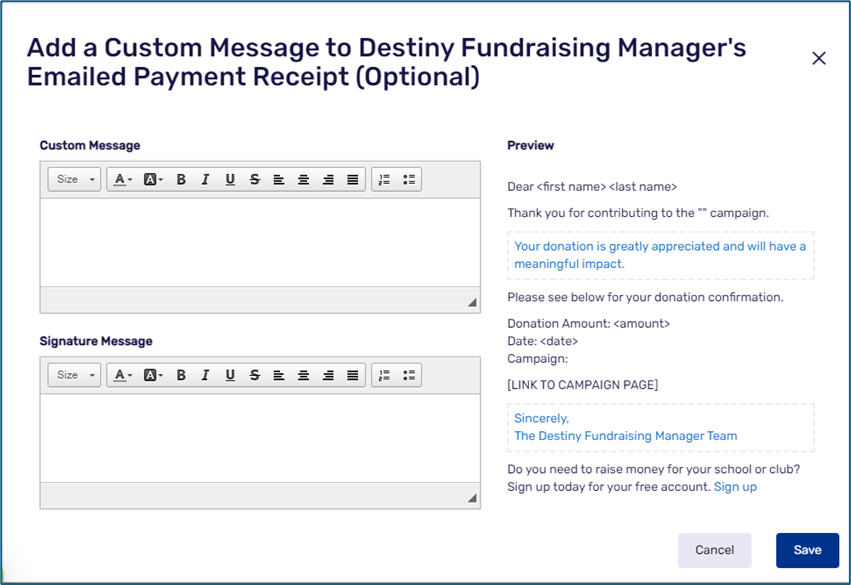
- Enter your custom message and signature message.
Notes:
Destiny Fundraising Manager automatically populates the donor’s name, campaign name, amount, and date.
Your custom message shows in blue in the Preview section on the right side of the page.
-
Click Save.
See Create a campaign.
For additional help, contact techsupport@follettsoftware.com.